Welcome to SortLab
SortLab helps Shopify merchants keep collection product order fresh with AI strategies, behavioral data, scheduling, analytics, and controlled A/B tests.
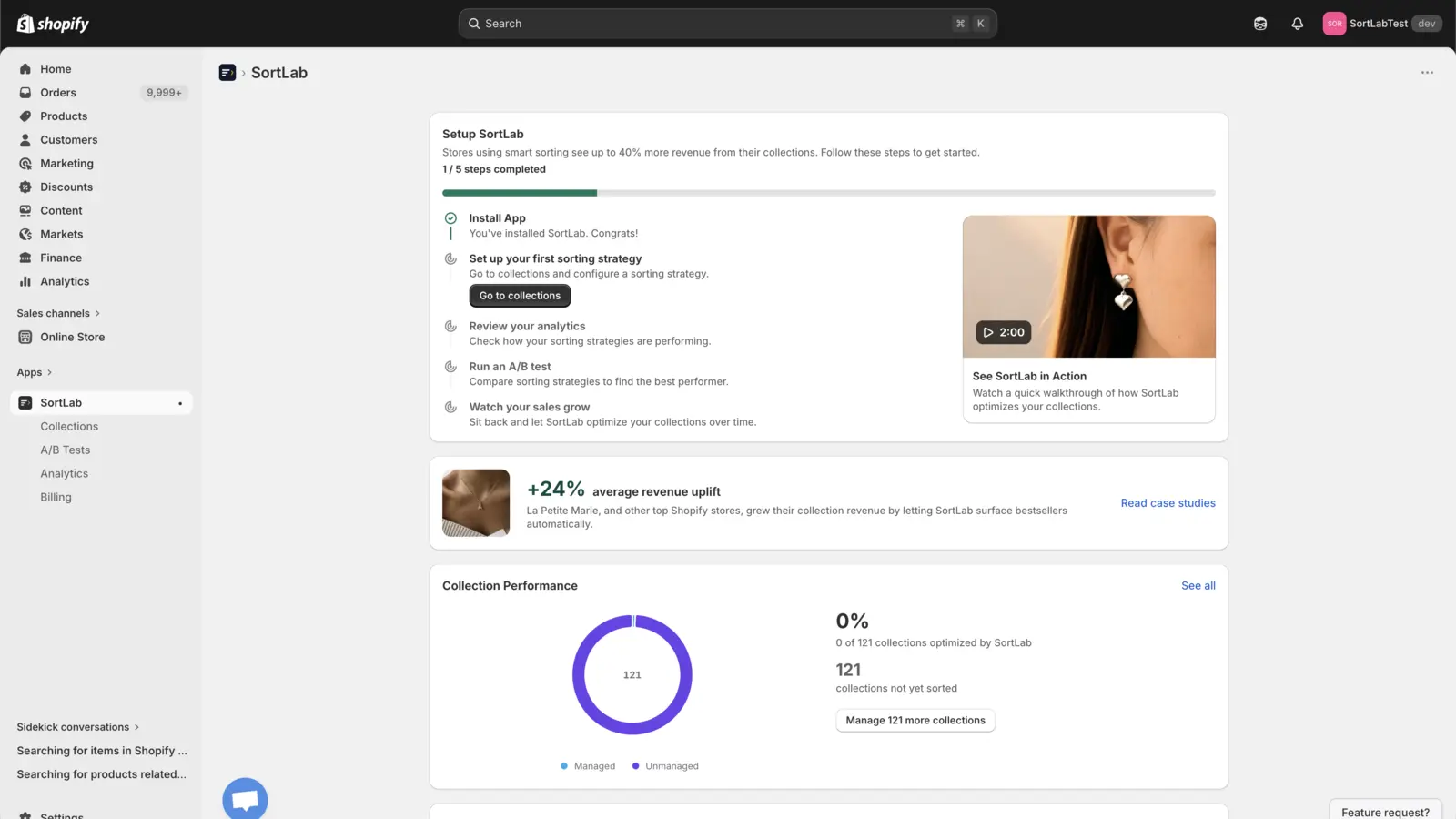
Start Here
Install SortLab from the Shopify App Store, choose a plan in Shopify Billing, and use the onboarding checklist to sort your first collection.
Install SortLab
Add SortLab to Shopify, approve permissions, and open the embedded app.
Sort Collections
Use goal presets, overrides, schedules, and previews to manage product order.
A/B Testing
Compare the current strategy against a challenger on Advanced and Enterprise.
Analytics
Track revenue, orders, engagement, sort runs, and collection lift.
Billing
Compare Starter, Advanced, and Enterprise plans managed through Shopify Billing.
Data Sync
Understand webhooks, web pixels, and how SortLab keeps product data current.
Common Workflows
- Install and approve access in Shopify, then open SortLab from the Shopify admin sidebar.
- Start with Collections to choose the customer-facing collections SortLab should manage.
- Pick a strategy such as Revenue Maximizer, New Arrivals Boost, Inventory Clearance, or Balanced Smart Sort.
- Turn on overrides for sold-out products, new arrivals, no-image products, schedule, lookback window, and optional product caps.
- Review Analytics after sorting begins, then use A/B testing when you need evidence before switching strategy.
Need Help?
- In-app chat - from the docs or the app.
- Support - Visit sortlab.ai/support.
- Consultation - Book a call for store-specific guidance.