Plans & Pricing
Compare SortLab plans, understand what's included in each tier, and learn how to change your plan.
Plans & Pricing
SortLab offers three plans designed to grow with your store. Start for free, and upgrade when you need more collections, automation, or advanced features.
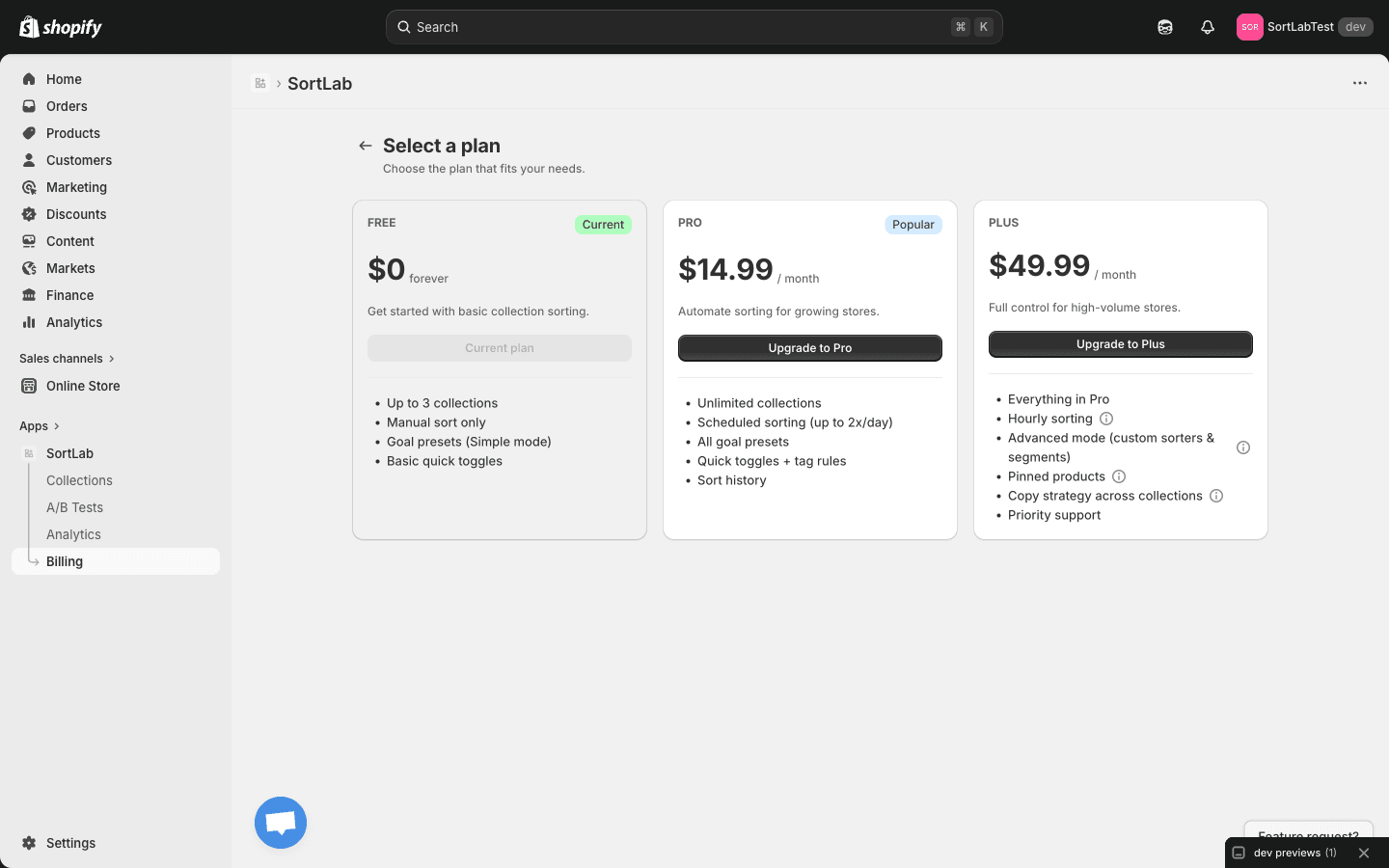
Plan comparison
| Feature | Free | Pro | Plus |
|---|---|---|---|
| Price | $0 forever | $14.99/month | $49.99/month |
| Collections | Up to 3 | Unlimited | Unlimited |
| Manual sorting | Yes | Yes | Yes |
| Scheduled sorting | -- | Up to 2x per day | Every hour |
| Goal presets (Simple Mode) | Yes | Yes | Yes |
| Quick toggles | Basic | All | All |
| Tag rules | -- | Yes | Yes |
| Sort history | -- | Yes | Yes |
| Advanced Mode (custom sorters & segments) | -- | -- | Yes |
| Pinned products | -- | -- | Yes |
| Copy strategy across collections | -- | -- | Yes |
| Priority support | -- | -- | Yes |
Free plan
Best for: Stores just getting started with collection sorting, or merchants who want to try SortLab before committing to a paid plan.
The Free plan gives you everything you need to sort up to 3 collections manually:
- Up to 3 managed collections — Choose your most important collections to optimize
- Manual sorting — Click Sort Now anytime to reorder products based on your chosen strategy
- All 7 goal presets in Simple Mode — Access every strategy from Revenue Maximizer to Customer Favorites
- Basic quick toggles — Push down out-of-stock products, boost new arrivals, and exclude products without images
No credit card required. No time limit. The Free plan is yours to use for as long as you want.
The Free plan is a great way to see results before upgrading. Sort your highest-traffic collection with Revenue Maximizer and check the analytics dashboard after a week to see the impact.
Pro plan
Best for: Growing stores that need to sort more than 3 collections and want sorting to run automatically on a schedule.
Everything in Free, plus:
- Unlimited collections — Manage every collection in your store, no cap
- Scheduled sorting (up to 2x per day) — Set your collections to re-sort automatically so product order stays fresh as new data comes in
- All quick toggles — Access the full set of merchandising toggles
- Tag rules — Create rules based on product tags to fine-tune how products are sorted within a collection
- Sort history — View a log of past sort runs for each collection, including when they ran and what strategy was used
Pro is the most popular plan. If you have more than 3 collections or want to stop manually re-sorting, this is the plan to choose.
Plus plan
Best for: High-volume stores and merchandising teams that need granular control over product order, hourly updates, and advanced customization.
Everything in Pro, plus:
- Hourly sorting — Keep your collections updated every hour to reflect the latest sales, inventory, and behavior data
- Advanced Mode — Build fully custom sorting strategies with weighted metrics and customer segments instead of relying on presets
- Pinned products — Lock specific products into fixed positions within a collection while SortLab sorts everything else around them
- Copy strategy across collections — Apply a strategy configuration from one collection to others in a single action
- Priority support — Get faster response times from the SortLab team through chat and email
If you sell in high-volume categories where product rankings shift quickly (fashion, electronics, seasonal goods), hourly sorting and Advanced Mode give you a significant edge over competitors using static product order.
How to change your plan
- Open SortLab from your Shopify admin sidebar
- Click Billing in the navigation
- Click the Change Plan button on the Billing page
- Review the three plans and click Select on the one you want
- Shopify will confirm the plan change and update your billing accordingly
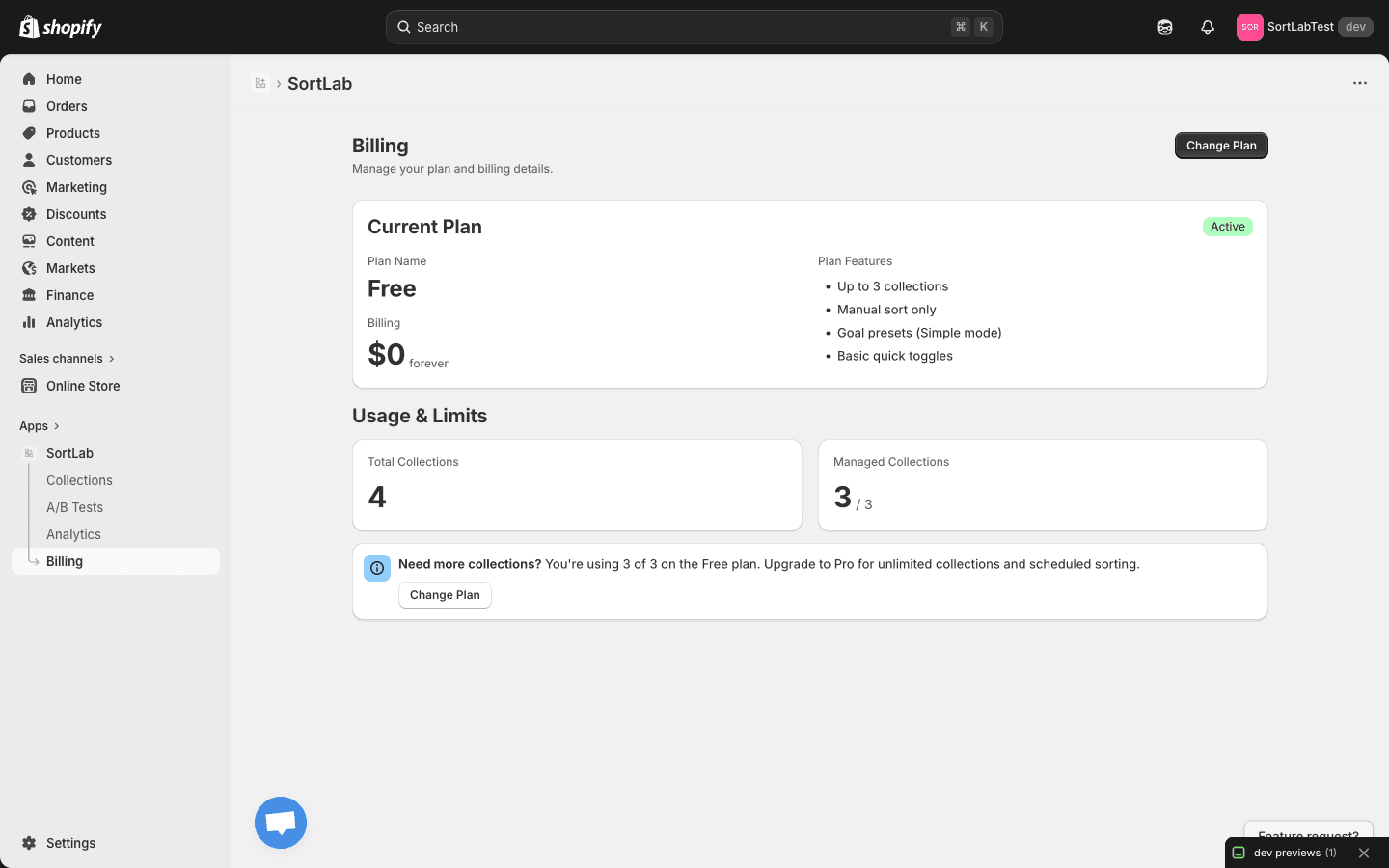
Plan changes take effect immediately. When you upgrade, new features and limits become available right away. When you downgrade, your current features remain active until the end of your current billing cycle.
Upgrading
When you upgrade from Free to Pro or Plus, or from Pro to Plus:
- Your new features are available immediately
- Your collection limit increases instantly (Pro and Plus have unlimited collections)
- Shopify prorates the charge for the remainder of your current billing cycle
- All your existing strategies, configurations, and analytics data are preserved
Downgrading
When you downgrade from Plus to Pro, or from any paid plan to Free:
- Your current plan features remain active until the end of the billing cycle
- Once the downgrade takes effect, features exclusive to the higher plan become unavailable
- If you exceed the new plan's collection limit (e.g., downgrading to Free with more than 3 managed collections), SortLab will keep your configurations saved but will stop actively sorting collections beyond the limit. You can choose which collections to keep managed.
- Your analytics data and sort history are never deleted
Billing through Shopify
SortLab billing is handled entirely through Shopify. Charges appear on your regular Shopify invoice alongside your other app subscriptions. There's no separate payment method to set up and no invoices to manage outside of Shopify.
Since billing is managed by Shopify, you can view your SortLab charges anytime under Settings > Billing in your Shopify admin.
Next steps
- Billing FAQ — Common questions about billing, upgrades, and refunds
- Quick Start Guide — Get started with your first sorted collection
- Scheduling — Set up automated sorting (Pro and Plus)