Creating Tests
Create an A/B test by choosing an eligible collection, switch interval, duration, challenger strategy, and preview.
A/B tests are created from the A/B Tests section in SortLab. Starter stores see the feature locked; Advanced and Enterprise stores can create tests for managed collections.
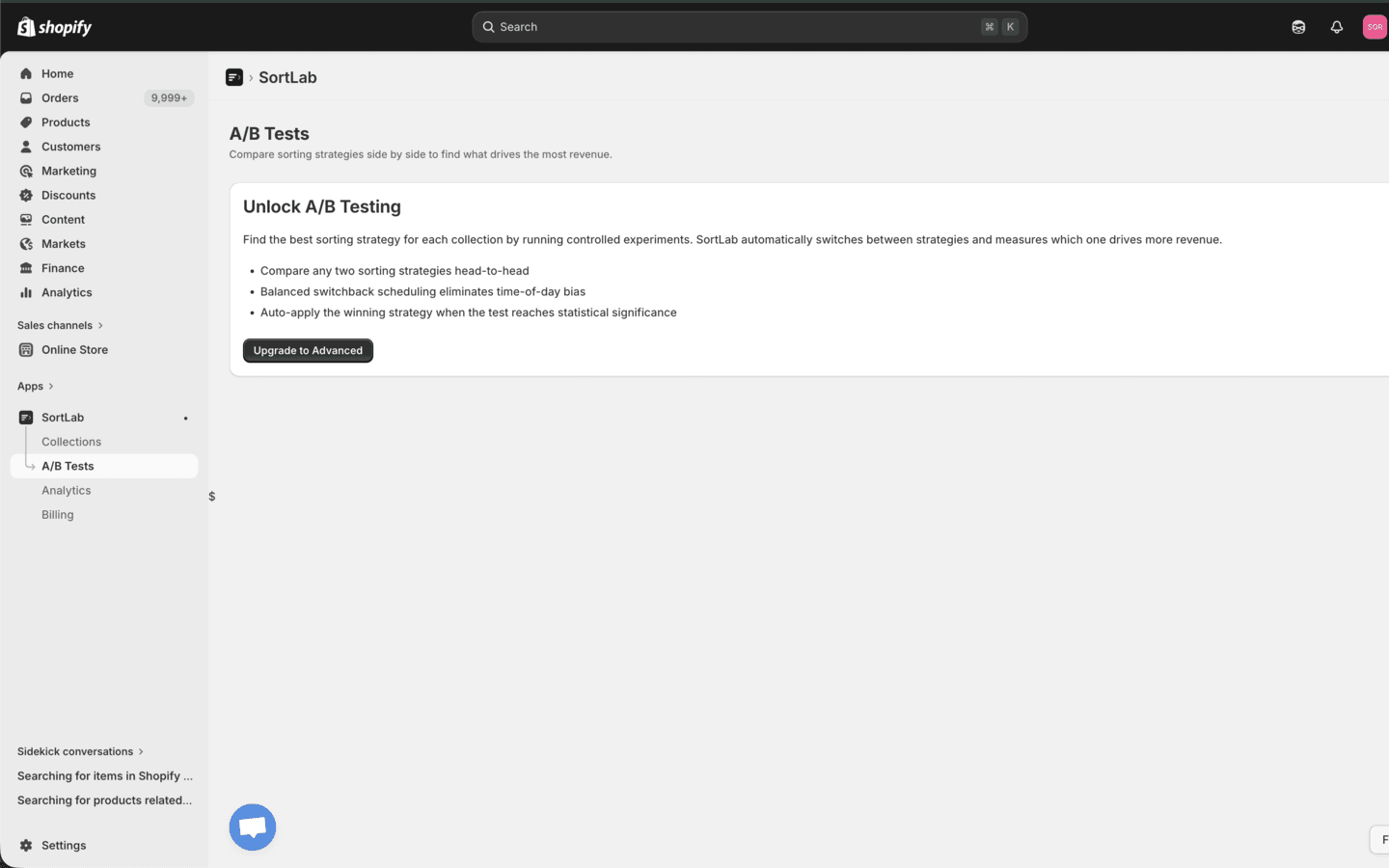
Before You Begin
Make sure:
- The store is on Advanced or Enterprise.
- The collection is already managed by SortLab.
- The collection has an active strategy to use as Control (A).
- Order sync and product sync have completed.
- You are ready to keep the collection reasonably stable during the test.
Only managed collections with an active strategy can be tested. If a collection is missing from the dropdown, set up sorting for it first.
Create a Test
Open A/B Tests
Click A/B Tests in the SortLab navigation. On Advanced or Enterprise, click Create test.
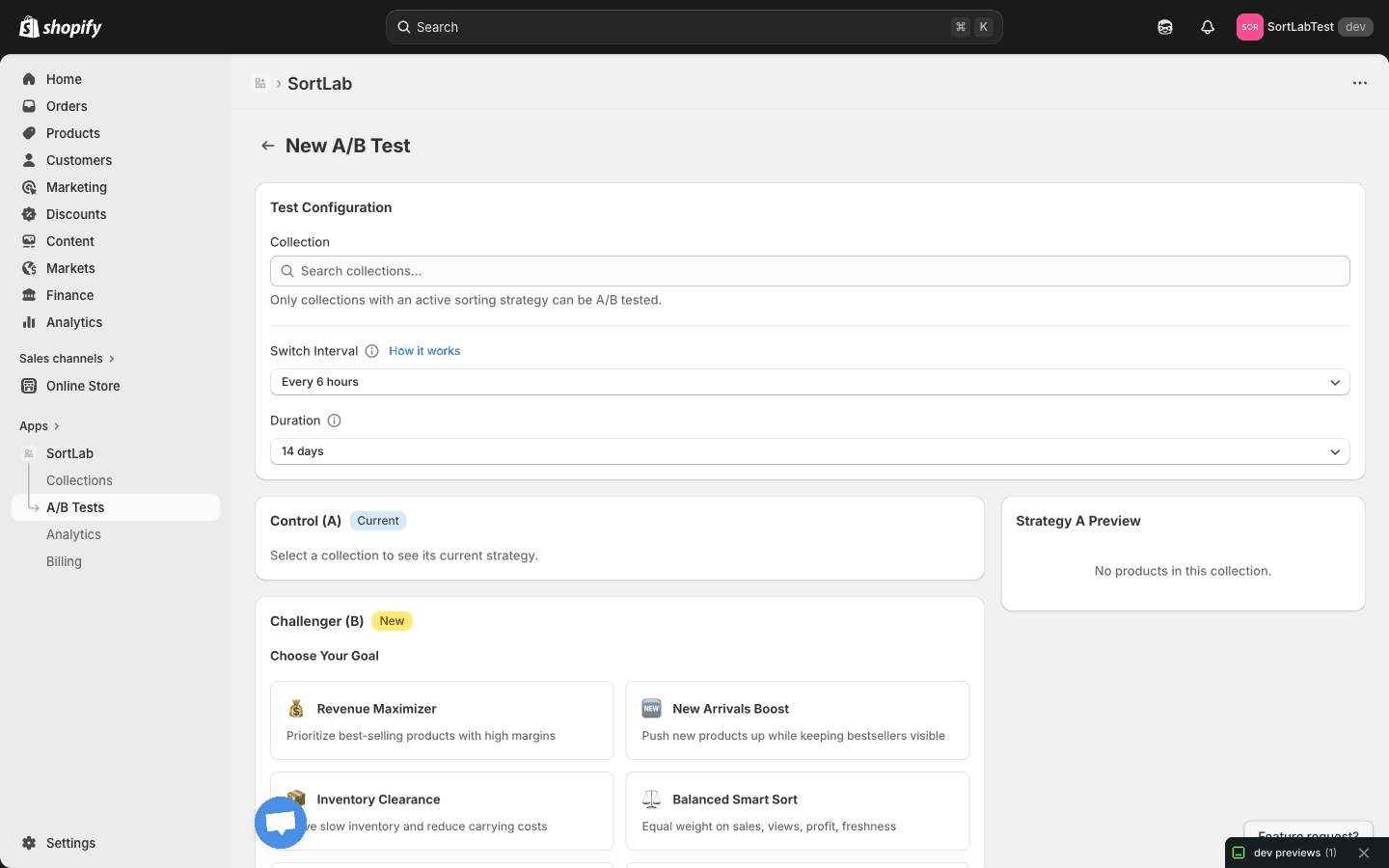
Select the collection
Use the collection search dropdown. SortLab loads the collection's current strategy as Control (A).
Choose the switch interval
Select how often SortLab swaps active variants:
| Interval | Use it for |
|---|---|
| Every 3 hours | High-traffic collections where short windows still get meaningful exposure. |
| Every 6 hours | Default for most tests. |
| Every 12 hours | Lower-traffic collections that need longer exposure windows. |
The switchback schedule is balanced so each variant gets exposure across different times of day and week.
Set the duration
Choose 7, 14, 30, 60, or 90 days. The default is 14 days because it covers two weekly cycles for many stores.
Use longer durations for lower-traffic collections or when the expected difference between strategies is small.
Configure Challenger (B)
Control (A) is read-only. In Challenger (B), choose the strategy and settings you want to test:
- Goal preset or custom strategy.
- Push down out-of-stock.
- Boost new products.
- Push down no-image.
- Schedule and lookback settings.
- New product window.
Keep the challenger meaningfully different from the control. Testing near-identical strategies can produce inconclusive results.
Preview both variants
SortLab can show a product preview for Control (A) and Challenger (B). Preview is unavailable for very large collections over 1,000 products, and it can be less accurate while order sync is still pending.
Start the test
Confirm whether Auto-apply winner should be enabled, then click Start Test. SortLab begins the switchback schedule and records variant-level metrics as orders arrive.
Better Test Design
- Test one major change at a time. If you change strategy, toggles, schedule, and products together, the result is harder to explain.
- Avoid mid-test merchandising changes. Major product edits can bias the result.
- Start with important collections. High-traffic collections produce useful signal faster.
- Do not stop early without a strong reason. Early winners can reverse after more exposure.
- Use confidence, not just revenue. A small revenue gap with low confidence is not a reliable winner.
Next Steps
- Interpreting Results - Decide what to do when results are available.
- Analytics Dashboard - Track collection performance before and after tests.